Games›Sports›Head Soccer

Head Soccer

Developer:Unknown Developer
Rating:⭐ 5.0 (1,234 votes)
Released:2024
Technology:HTML5
Platforms:Browser (Desktop)

About Head Soccer

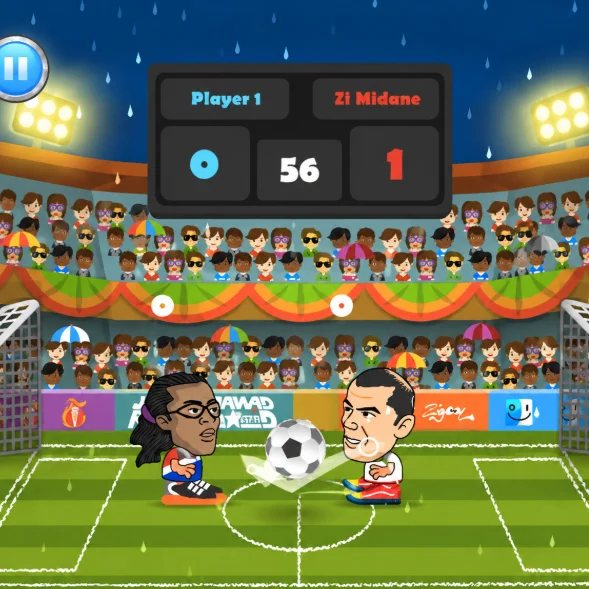
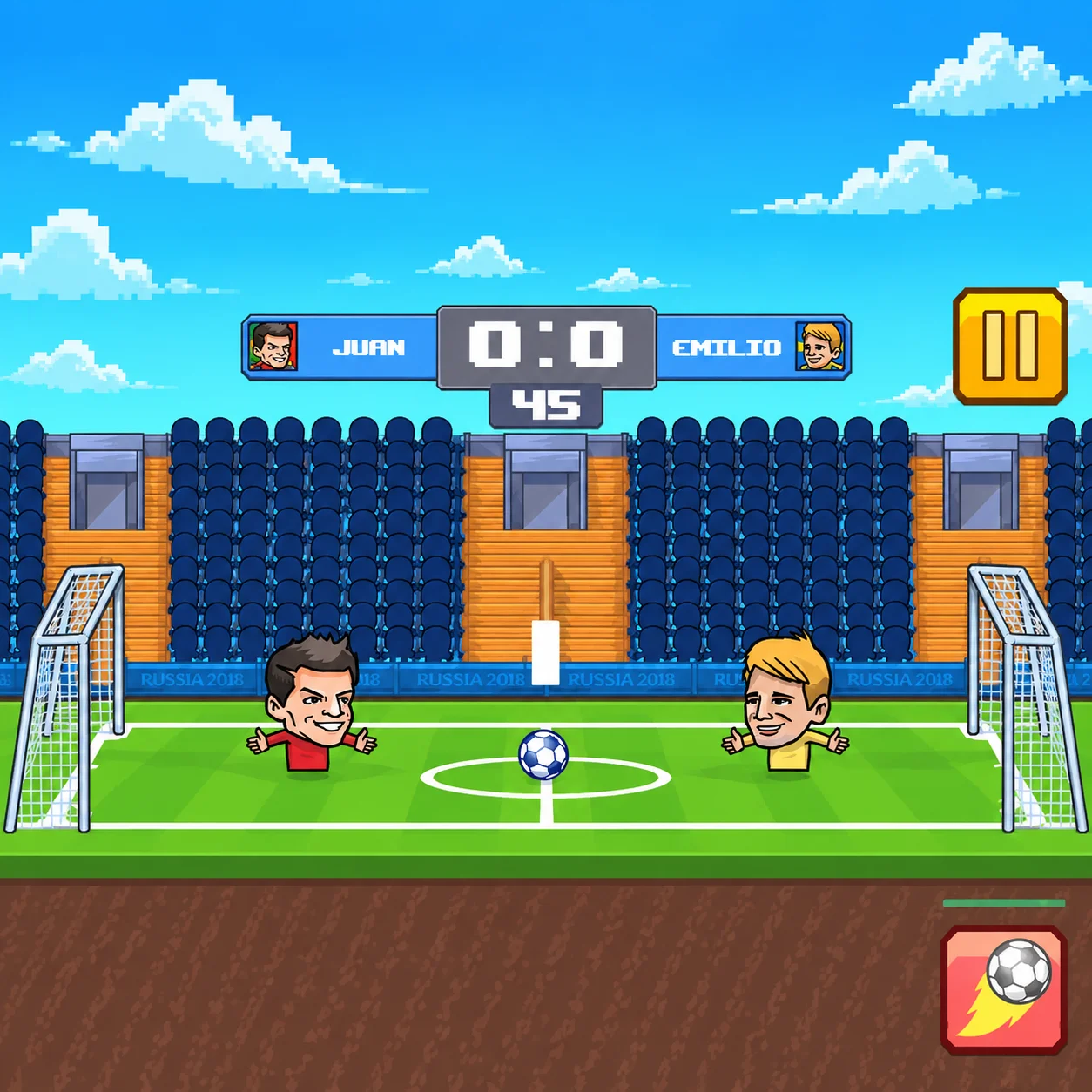
Head Soccer is a fast-paced browser football game featuring oversized characters, compact pitches, and unpredictable ball physics. Instead of controlling an entire team, you take charge of one player who must both attack the opposing goal and defend their own net.

The exaggerated size of each character’s head makes headers one of the most important parts of the game. You can jump to intercept high balls, block shots, create lobs, or send the ball over your opponent. Dedicated shot buttons also allow you to strike the ball at different angles.

Head Soccer includes a single-player mode against the computer and a local two-player mode for friends sharing one keyboard. Matches are short and action-packed, making the game easy to start but difficult to master.

The browser edition loads without a separate installation. Its simple controls and quick rounds make it suitable for casual matches, while the movement, shot angles, rebounds, and defensive decisions give experienced players room to develop more advanced strategies.

How to Play Head Soccer

  1. Select a single-player match to compete against the computer or choose two-player mode to challenge a friend. Pick your character or team, then enter the pitch.

  2. In Head Soccer, the objective is to score more goals than your opponent (Head Soccer) before the match timer reaches zero. Move toward the ball, jump to make contact with your head, and use the shot buttons to kick it toward the opposing goal.

  3. Every player must perform both attacking and defensive duties. When you have an opportunity to score, move behind the ball and choose the correct shot angle. When your opponent attacks, retreat toward your goal and place your character in the ball’s path.

  4. The large heads make aerial challenges especially effective. A well-timed jump can stop an incoming shot, redirect a loose ball, or create a high arc that travels over your rival.

  5. If the score is tied when regular time ends, some versions may continue with an extra period or a first-goal-wins situation. Check the instructions displayed by the game for the exact match rules.

Head Soccer Controls

Head Soccer Controls

Control
Action
Head Soccer: Left and Right Arrow Keys
In Head Soccer, move
Head Soccer: Up Arrow
In Head Soccer, jump
Head Soccer: Z and X
In Head Soccer, shoot or perform different kicks
Head Soccer: Control
In Head Soccer, action
Head Soccer: A and D
In Head Soccer, move left and right
Head Soccer: W
In Head Soccer, jump
Head Soccer: N and M
In Head Soccer, shoot or perform different kicks
Head Soccer: Control
In Head Soccer, action
Head Soccer: Left and Right Arrow Keys
In Head Soccer, move
Head Soccer: Up Arrow
In Head Soccer, jump
Head Soccer: 1 and 2
In Head Soccer, shoot or perform different kicks

The Main Objective in Head Soccer

Instead of controlling an entire team, you take charge of one player who must both attack the opposing goal and defend their own net.

Shots, Headers, and Ball Physics

Head Soccer uses arcade-style physics, so the ball can rebound quickly from players, the ground, goal frames, and the edges of the pitch. Understanding these rebounds is essential for both scoring and defending.

Ground shots are useful when there is a clear path toward the goal. A low strike can travel beneath a jumping opponent, but it may be blocked if the defender stays in position.

High shots and headers are effective against opponents who remain close to the ground. Jumping beneath the ball can create a lob that travels over the defender and drops near the goal.

Your character’s oversized head also acts as a defensive shield. Standing in the correct position can block a shot even without kicking. However, a poorly timed jump may allow the ball to pass underneath you.

Some versions feature special moves or more powerful shots. When these abilities are available, use the corresponding action key shown on the game screen. Save powerful attacks for moments when the goal is open instead of activating them from a poor angle.

Beginner Tips for Head Soccer

  • Remain between the ball and your own goal when defending. This basic position prevents many easy scoring opportunities.
  • Do not jump whenever the ball leaves the ground. Wait until you can judge its direction, then move underneath it before jumping.
  • Learn what both shot buttons do. Using the wrong kick can send the ball backward or give possession to your opponent.
  • Avoid standing directly inside the goal for the entire match. Move forward to challenge the ball before your rival can prepare an uncontested shot.
  • Use your head to block high attacks. You do not always need to kick the ball to stop it from reaching the net.
  • After shooting, prepare for a rebound. The ball may return immediately after hitting the goal frame or your opponent.
  • Practice in single-player mode before challenging a friend. This gives you time to learn movement speed, jump height, and shooting angles.

Advanced Tips for Head Soccer

  • Control the area near the center of the field. From this position, you can attack loose balls while remaining close enough to retreat if possession changes.
  • Alternate between low and high shots. Repeating the same attack allows your opponent to predict whether they should jump or remain on the ground.
  • Use false approaches to force a defensive mistake. Move toward the ball as though you plan to kick, then wait for your rival to jump before sending a low shot underneath them.
  • When defending an aerial ball, consider where it will land instead of chasing its current position. Moving toward the landing point gives you a better chance to take control.
  • Avoid clearing the ball straight into your opponent. When possible, redirect it upward or toward an open area so you have time to leave your goal and begin an attack.
  • Use the goal frame intentionally. A powerful shot that hits the upper frame may rebound downward into a difficult position for the defender.
  • Pay attention to the clock and score. When leading near the end, prioritize safe positioning and clear dangerous balls. When trailing, apply pressure and challenge for possession earlier.
  • Against another player, identify their preferred shot. If they repeatedly use high attacks, delay your jump and prepare to meet the ball in the air. If they favor low shots, remain grounded until they commit.

Game Features in Head Soccer

  • Shots, Headers, and Ball Physics

Head Soccer FAQ

Is Head Soccer free to play?

Head Soccer: Yes. In Head Soccer, the browser version can be played for free without (Head Soccer) purchasing or installing separate software in Head Soccer.

Can I play Head Soccer with a friend?

Head Soccer: Yes. Head Soccer includes a local two-player mode in which two people share the same keyboard in Head Soccer.

Does Head Soccer have online matchmaking?

Head Soccer: The commonly available browser version focuses on single-player and local two-player matches. Its multiplayer option usually means playing with a friend on the same computer rather than joining a remote opponent online in Head Soccer.

What is the objective of Head Soccer?

Head Soccer: Score more goals than your opponent before the match ends while protecting your own net in Head Soccer.

How do I jump in Head Soccer?

Head Soccer: In single-player mode and for Player 2, the Up Arrow commonly controls jumping. Player 1 usually jumps with W during a two-player match in Head Soccer.

Why are there two shooting buttons?

Head Soccer: The two buttons may produce different kick directions or shot angles. They help you choose between low attacks, high strikes, and defensive clearances in Head Soccer.

Can I score with a header?

Head Soccer: Yes. Jump into the ball and use your character’s oversized head to redirect it toward the opposing goal in Head Soccer.

Can I play against the computer?

Head Soccer: Yes. Single-player mode lets you face a computer-controlled opponent and practice before entering a local multiplayer match in Head Soccer.

What happens if the score is tied?

Head Soccer: The rule depends on the browser edition. Some versions end in a draw, while others continue into extra time or a first-goal-wins round in Head Soccer.

What is the best defensive strategy?

Head Soccer: Stay between the ball and your goal, avoid jumping too early, and clear the ball toward an open area rather than directly into your opponent in Head Soccer.

Does Head Soccer require a download?

Head Soccer: No. The game runs directly in a compatible desktop web browser. in Head Soccer.

What is Head Soccer?

Head Soccer is a fast-paced browser football game featuring oversized characters, compact pitches, and unpredictable ball physics in Head Soccer.

How do you play Head Soccer?

Head Soccer: Select a single-player match to compete against the computer or choose two-player mode to challenge a friend. Pick your character or team, then enter the pitch in Head Soccer.

How do you control Head Soccer?

Head Soccer: In Head Soccer, use Head Soccer: Left and Right Arrow Keys (In Head Soccer, move); Head Soccer: Up Arrow (In Head Soccer, jump); Head Soccer: Z and X (In Head Soccer, shoot or perform different kicks).

What is the goal in Head Soccer?

Head Soccer: Instead of controlling an entire team, you take charge of one player who must both attack the opposing goal and defend their own net in Head Soccer.

Similar Games to Head Soccer

Near Head Soccer:

Keep playing Head Soccer here:

Frequently Asked Questions

Is Head Soccer free to play?

Head Soccer: Yes. In Head Soccer, the browser version can be played for free without (Head Soccer) purchasing or installing separate software in Head Soccer.

Can I play Head Soccer with a friend?

Head Soccer: Yes. Head Soccer includes a local two-player mode in which two people share the same keyboard in Head Soccer.

Does Head Soccer have online matchmaking?

Head Soccer: The commonly available browser version focuses on single-player and local two-player matches. Its multiplayer option usually means playing with a friend on the same computer rather than joining a remote opponent online in Head Soccer.

What is the objective of Head Soccer?

Head Soccer: Score more goals than your opponent before the match ends while protecting your own net in Head Soccer.
How do I jump in Head Soccer?

Head Soccer: In single-player mode and for Player 2, the Up Arrow commonly controls jumping. Player 1 usually jumps with W during a two-player match in Head Soccer.

Why are there two shooting buttons?

Head Soccer: The two buttons may produce different kick directions or shot angles. They help you choose between low attacks, high strikes, and defensive clearances in Head Soccer.

Can I score with a header?

Head Soccer: Yes. Jump into the ball and use your character’s oversized head to redirect it toward the opposing goal in Head Soccer.

Can I play against the computer?

Head Soccer: Yes. Single-player mode lets you face a computer-controlled opponent and practice before entering a local multiplayer match in Head Soccer.

What happens if the score is tied?

Head Soccer: The rule depends on the browser edition. Some versions end in a draw, while others continue into extra time or a first-goal-wins round in Head Soccer.

What is the best defensive strategy?

Head Soccer: Stay between the ball and your goal, avoid jumping too early, and clear the ball toward an open area rather than directly into your opponent in Head Soccer.
Does Head Soccer require a download?

Head Soccer: No. The game runs directly in a compatible desktop web browser. in Head Soccer.
What is Head Soccer?

Head Soccer is a fast-paced browser football game featuring oversized characters, compact pitches, and unpredictable ball physics in Head Soccer.

How do you play Head Soccer?

Head Soccer: Select a single-player match to compete against the computer or choose two-player mode to challenge a friend. Pick your character or team, then enter the pitch in Head Soccer.

How do you control Head Soccer?

Head Soccer: In Head Soccer, use Head Soccer: Left and Right Arrow Keys (In Head Soccer, move); Head Soccer: Up Arrow (In Head Soccer, jump); Head Soccer: Z and X (In Head Soccer, shoot or perform different kicks).

What is the goal in Head Soccer?

Head Soccer: Instead of controlling an entire team, you take charge of one player who must both attack the opposing goal and defend their own net in Head Soccer.