About Football Masters
Football Masters is a fast-paced arcade soccer game developed by MadPuffers. It is also commonly known as Football Masters: Euro 2020 or Soccer Masters: Euro 2020.
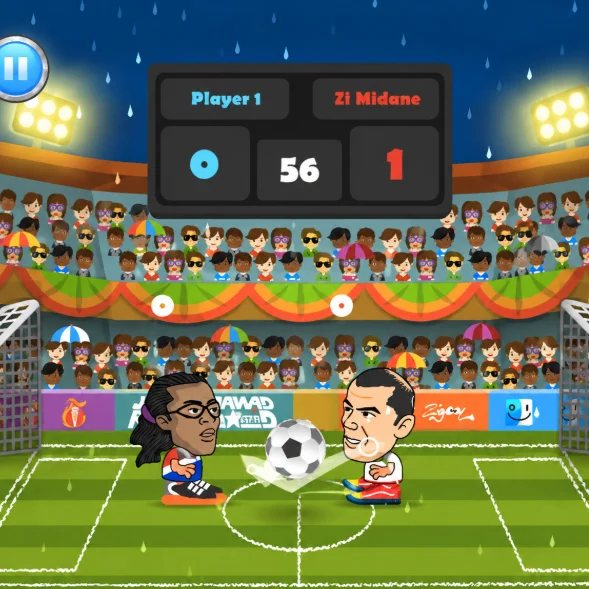
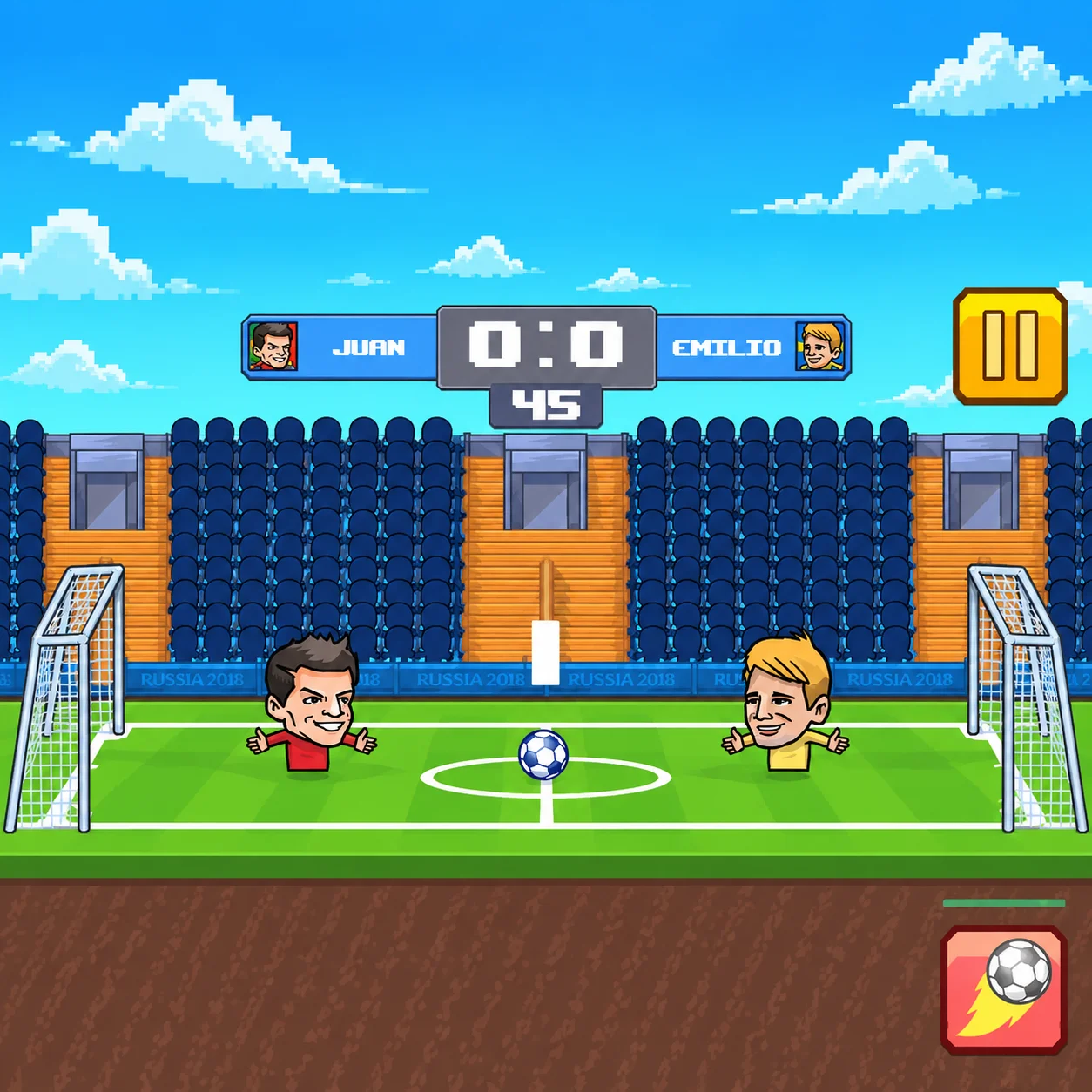
Choose a national team and control one or two oversized football characters in compact matches. Run, jump, slide, shoot, defend your goal, and activate powerful special abilities to defeat the opposing team.
Football Masters supports solo competition and local two-player gameplay. You can start an immediate Quick Match or enter Tournament mode and attempt to win the championship.
- HTML5
How to Play Football Masters
Select a game mode, choose your national team, and decide which footballer and special ability you want to use.
Move toward the ball and position your character behind it. Use the shooting control to kick toward the opposing goal or slide when attempting to recover possession.
Score more goals than your opponent before the timer expires. If you enter Tournament mode, continue winning matches until you reach and conquer the final.
Football Masters Controls
The Main Objective in Football Masters
Your primary objective is to score more goals than the opposing team before the match ends.
You must control possession, create shooting opportunities, and protect your own net. Because the pitch is small, possession can change quickly and a single rebound may create an immediate goal.
Tournament players must win every required round to claim the cup.
Choose Your National Team
Football Masters allows you to represent different national football teams. Select the country you want to guide through a quick match or tournament.
Teams are presented through colorful uniforms and stylized players. The gameplay is designed as an arcade interpretation of international football rather than a realistic simulation of official squads.
Choose your favorite team or experiment with different player and ability combinations.
Select One or Two Footballers
Depending on the selected mode, a team may contain one or two controlled footballers. A single-player formation provides more space but places all attacking and defensive responsibilities on one character.
Using two footballers gives the team better field coverage. One character can pressure the ball while the other protects the goal or prepares for a rebound.
Choose the formation that best matches the mode and your preferred playing style.
Play a Quick Match
Quick Match sends you directly into a standalone game. It is the fastest way to practice controls, compare special abilities, or enjoy a short football session.
Use this mode to learn how the ball reacts to kicks, slides, headers, and collisions. You can also test different national teams without risking a tournament run.
Once you can attack and defend consistently, move on to Tournament mode.
Enter Tournament Mode
Tournament mode places your team in a knockout competition. Win the current match to advance toward the next opponent and eventually reach the final.
Each round requires concentration because one defeat may end the tournament attempt. Later opponents can punish poor positioning and wasted special moves.
Defeat every challenger and win the final match to become the tournament champion.
Play Against the Computer
One-player mode allows you to face computer-controlled teams. It is suitable for learning the mechanics and developing a reliable strategy.
Observe how the computer approaches loose balls and responds when defending. Recognizing its movement patterns can help you create more effective attacks.
Try increasing the difficulty when the available opponents no longer provide enough resistance.
Play With a Friend
Football Masters supports local two-player gameplay on one computer. Each player uses a separate side of the keyboard.
Friends can compete against each other in a direct match. Supported menus may also provide cooperative play, allowing both players to represent the same team against computer-controlled opponents.
Local multiplayer does not require internet matchmaking because both players share the same screen and keyboard.
Use Thundershot
Thundershot launches an extremely powerful strike toward the opposing goal. Its additional speed can make the ball difficult to block.
Position yourself on the correct side of the ball before activating it. A powerful special move aimed in the wrong direction can be as dangerous as an ordinary mistake.
Thundershot is a good choice for players who prefer direct, aggressive attacks.
Use Teleport
Teleport allows your character to move rapidly behind or toward the ball. It can transform a difficult position into an immediate shooting opportunity.
Use the ability when the ball is moving into open space or when your opponent believes possession is secure. Appearing on the other side of the ball may let you attack before the defender can react.
Teleport rewards timing and positional awareness more than raw shooting power.
Choose the Right Special Ability
Thundershot and Teleport support different strategies. Select Thundershot if you want a powerful finishing tool that can overwhelm the goalkeeper.
Choose Teleport if you prefer rapid repositioning, surprise attacks, and greater control over loose balls.
Both abilities can be effective. Your results depend on activating them from a suitable position rather than simply choosing the most dramatic effect.
Watch the Special-Move Meter
Special abilities cannot usually be activated continuously. Watch the relevant meter or indicator and wait until the move is ready.
While the ability recharges, rely on ordinary movement, shooting, sliding, and jumping. Plan your next attack so you are in position when the special becomes available.
Also monitor the opposing character because they may be preparing a special attack of their own.
Move Into the Correct Position
Good positioning is one of the most important skills in Football Masters. Try to remain behind the ball when attacking so your shot travels toward the opposing goal.
When defending, stay between the ball and your own net. Moving beyond the ball can leave you unable to stop a sudden counterattack.
Predict where the ball will land instead of following every bounce directly.
Jump and Head the Ball
Jumping helps you reach high balls, intercept aerial shots, and create headers near the goal.
Time your jump so your character meets the ball (Football Masters) at the correct height. Jumping too early may allow it to pass overhead, while jumping too late gives the opponent the first touch.
Headers can be used offensively or as a defensive clearance.
Slide to Win Possession
The slide action allows your player to challenge an opponent and reach low balls quickly. It is useful when the rival is preparing a shot or moving into open space.
Sliding at the wrong time can take your character out of position. The opponent may jump over the challenge and continue toward an unprotected goal.
Use slides deliberately rather than pressing the control whenever the ball is nearby.
Take Accurate Shots
Move to the correct side of the ball before pressing the shooting key. Your position determines the direction in which the football travels.
Shots taken near the goal require less power but faster timing. Long-range kicks can create pressure, although they give defenders more time to react.
Follow every attempt because the ball may rebound into another scoring position.
Defend Your Goal
Avoid standing permanently inside the goal. Defending slightly in front of the net gives you more room to intercept the ball and begin a counterattack.
Use jumps against high shots and slides against low attacks. If the opponent activates a supershot, react quickly and place your character in its path.
After clearing the ball, move forward carefully rather than allowing the rival to regain possession immediately.
Control Rebounds
The football can bounce off players, posts, the crossbar, and other surfaces. These rebounds make each match unpredictable.
Do not stop moving after a shot is blocked. Watch the ball’s new direction and compete for the second opportunity.
Many goals are scored from rebounds rather than the original attack, particularly when several characters are crowded near the net.
One-on-One Strategy
- In a 1v1 match, your only character must cover both attack and defense. Avoid moving too far beyond the ball because no teammate is available to protect the goal.
- Control the center of the pitch and wait for the opponent to make the first positional mistake. Use a regular shot to create a rebound, then activate your special ability from closer range.
- A balanced position is usually safer than constant attacking.
Two-Character Strategy
- When your team has two characters, use their combined coverage. The forward player can challenge for possession while the deeper character guards against counterattacks.
- Do not crowd both players around the ball. Poor spacing allows one opposing shot to pass the complete team.
- Move the second character into a position where they can collect rebounds or block clearances.
Co-op Strategy
- When two people play on the same team, communication is more important than individual speed. Decide which player will attack and which one will remain closer to the goal.
- Call out loose balls and special-move opportunities. Avoid activating both abilities at the same time unless the combination has a clear purpose.
- Switch roles when possession changes so the team maintains defensive coverage.
Best Strategy for Winning
- Begin each match by securing a position behind the ball. Use regular attacks to study the opponent before committing your special move.
- Maintain enough distance to react to unpredictable rebounds. If you gain the lead, control possession and avoid unnecessary slides near your goal.
- When trailing, increase pressure and use the special ability to create a high-quality scoring chance rather than firing it from anywhere.
Beginner Tips for Football Masters
- Practice the controls in Quick Match.
- Move behind the ball before shooting.
- Keep your character between the ball and your goal.
- Jump only when the ball is at a reachable height.
- Do not slide unless you have a clear chance to win possession.
- Save your special move for a useful attacking position.
- Follow shots and prepare for rebounds.
- Learn both Thundershot and Teleport.
- Check the keyboard layout before starting a two-player game.
Advanced Tips for Football Masters
- Predict the ball’s landing position instead of chasing it.
- Use jumps to avoid poorly timed sliding tackles.
- Activate Teleport when the opponent moves beyond the ball.
- Use Thundershot from a central or close-range position.
- Create rebounds intentionally with regular shots.
- Delay your special move until the defender commits.
- In co-op, keep one teammate behind the attacking player.
- Protect a late lead by controlling the center of the pitch.
Common Mistakes to Avoid in Football Masters
Using a special ability immediately after
Using a special ability immediately after it becomes available is a common mistake. Wait until the character is correctly positioned and the goal is reachable.
Players also lose goals by moving
Players also lose goals by moving to the wrong side of the ball. Always confirm that the next kick will travel toward the opposing net.
In two-player or two-character modes, avoid
In two-player or two-character modes, avoid sending everyone forward at once. One clearance could leave your goal completely open.
Why Football Masters Is Fun
Football Masters combines recognizable soccer rules with exaggerated characters, quick movement, and spectacular special abilities.
Matches are short enough for immediate rematches, while Tournament mode provides a larger objective. Local two-player support also makes the game suitable for friendly competition on the same computer.
Thundershot and Teleport create different strategic approaches and encourage players to experiment with more than one character.
Browser Game Experience for Football Masters
Football Masters runs directly in a compatible browser using HTML5 technology. The web version does not require a separate launcher or large installation.
Desktop browser play is particularly suitable for its keyboard controls and local multiplayer. Click inside the game window before playing so the browser sends your input to the game.
Football Masters: Use an updated browser and full-screen mode when available. In two-player mode, ensure that the keyboard can recognize several simultaneous key presses.
Game Features in Football Masters
- Fast arcade soccer gameplay
- National team selection
- One- or two-character teams
- Quick Match mode
- Tournament mode
- Solo play against the computer
- Local two-player matches
- Cooperative gameplay in supported modes
- Thundershot special ability
- Teleport special ability
- Shooting, jumping, and sliding
- Shared-keyboard controls
- Stylized big-headed characters
- HTML5 browser technology
- No large download required
Who Should Play Football Masters?
Football Masters is suitable for players who enjoy soccer, arcade sports, local multiplayer, cooperative games, and short competitive matches.
It is an especially good choice for two friends who want to compete on the same computer. Solo players can also pursue the tournament trophy against computer-controlled teams.
Players looking for a detailed eleven-a-side simulation should note that Football Masters focuses on compact arcade action.
Football Masters FAQ
What is Football Masters?
Football Masters is an arcade soccer game in which you control one or two football characters, score goals, and use special abilities in Football Masters.
Who developed Football Masters?
Football Masters was developed by MadPuffers.
Is Football Masters the same as Soccer Masters: Euro 2020?
Football Masters: The game is commonly distributed under the names Football Masters, Football Masters: Euro 2020, and Soccer Masters: Euro 2020 in Football Masters.
Can I play Football Masters alone?
Football Masters: Yes. You can compete against computer-controlled teams in Quick Match and Tournament modes in Football Masters.
Does Football Masters support two players?
Football Masters: Yes. Two players can share a keyboard for local matches. Some versions also include a cooperative option in Football Masters.
Is Football Masters online multiplayer?
Football Masters: The standard browser version primarily offers solo and local multiplayer gameplay. It should not be described as internet matchmaking unless the hosted build specifically provides that feature in Football Masters.
What are the special abilities?
Football Masters: The two primary abilities are Thundershot, which produces a powerful strike, and Teleport, which rapidly repositions the player near the ball in Football Masters.
How does Player 1 move?
Football Masters: Player 1 uses W, A, S, and D in Football Masters.
How does Player 2 move?
Football Masters: Player 2 uses the Arrow Keys.
How do I shoot?
Football Masters: Player 1 uses X, while Player 2 uses L in Football Masters.
How do I activate a special move?
Football Masters: Player 1 uses Z, while Player 2 uses K in Football Masters.
Can I play Football Masters online for free?
Football Masters: Yes. In Football Masters, football Masters can be played for free on (Football Masters) supported browser-game websites in Football Masters.
Do I need to download Football Masters?
Football Masters: No. The hosted web version runs directly in a compatible browser in Football Masters.
How do you play Football Masters?
Football Masters: Select a game mode, choose your national team, and decide which footballer and special ability you want to use in Football Masters.
How do you control Football Masters?
Football Masters: In Football Masters, use Football Masters: W (In Football Masters, jump); Football Masters: A (In Football Masters, move left); Football Masters: D (In Football Masters, move right).
Similar Games to Football Masters
Near Football Masters:
- Football Masters and American Football Kicks
- Football Masters and Football Penalty Champions
- Football Masters and Free Kick Football
- Football Masters and Axis Football League
- Football Masters and Football Run
- Football Masters and 2 Minute Football
- Football Masters and Football Legends 2
- Football Masters and Real Football
Keep playing Football Masters here:
Final Thoughts on Football Masters
Football Masters delivers an accessible combination of soccer, arcade action, and local multiplayer. Regular movement and shooting are easy to understand, while special abilities add tactical variety to every match.
Choose your country, decide between Thundershot and Teleport, and enter a Quick Match or Tournament. Whether you compete alone or share the keyboard with a friend, Football Masters offers a lively browser football experience built for quick rematches and dramatic goals.
Frequently Asked Questions
What is Football Masters?
Football Masters is an arcade soccer game in which you control one or two football characters, score goals, and use special abilities in Football Masters.
Who developed Football Masters?
Football Masters was developed by MadPuffers.
Is Football Masters the same as Soccer Masters: Euro 2020?
Football Masters: The game is commonly distributed under the names Football Masters, Football Masters: Euro 2020, and Soccer Masters: Euro 2020 in Football Masters.
Can I play Football Masters alone?
Football Masters: Yes. You can compete against computer-controlled teams in Quick Match and Tournament modes in Football Masters.
Does Football Masters support two players?
Football Masters: Yes. Two players can share a keyboard for local matches. Some versions also include a cooperative option in Football Masters.
Is Football Masters online multiplayer?
Football Masters: The standard browser version primarily offers solo and local multiplayer gameplay. It should not be described as internet matchmaking unless the hosted build specifically provides that feature in Football Masters.
What are the special abilities?
Football Masters: The two primary abilities are Thundershot, which produces a powerful strike, and Teleport, which rapidly repositions the player near the ball in Football Masters.
How does Player 1 move?
Football Masters: Player 1 uses W, A, S, and D in Football Masters.
How does Player 2 move?
Football Masters: Player 2 uses the Arrow Keys.
How do I shoot?
Football Masters: Player 1 uses X, while Player 2 uses L in Football Masters.
How do I activate a special move?
Football Masters: Player 1 uses Z, while Player 2 uses K in Football Masters.
Can I play Football Masters online for free?
Football Masters: Yes. In Football Masters, football Masters can be played for free on (Football Masters) supported browser-game websites in Football Masters.
Do I need to download Football Masters?
Football Masters: No. The hosted web version runs directly in a compatible browser in Football Masters.
How do you play Football Masters?
Football Masters: Select a game mode, choose your national team, and decide which footballer and special ability you want to use in Football Masters.
How do you control Football Masters?
Football Masters: In Football Masters, use Football Masters: W (In Football Masters, jump); Football Masters: A (In Football Masters, move left); Football Masters: D (In Football Masters, move right).