About Football Legends 2
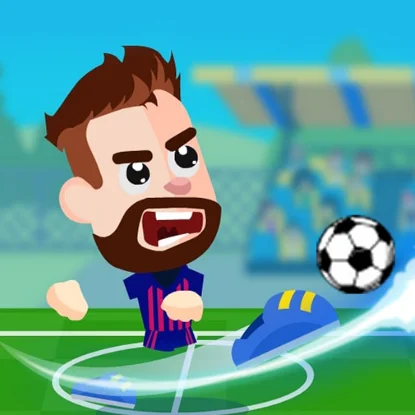
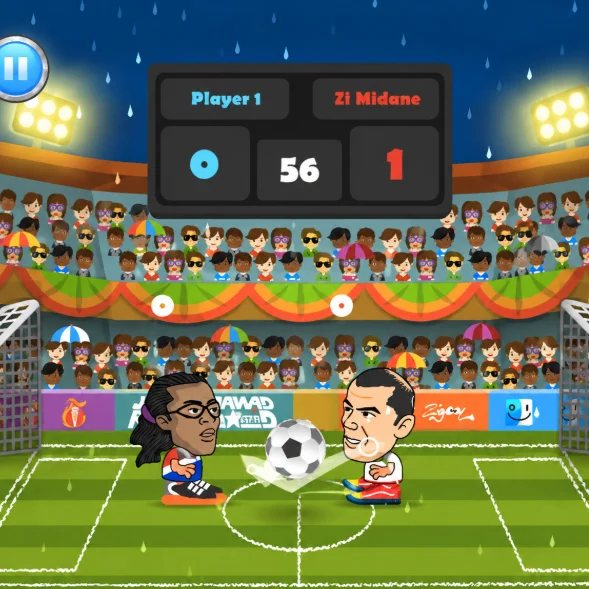
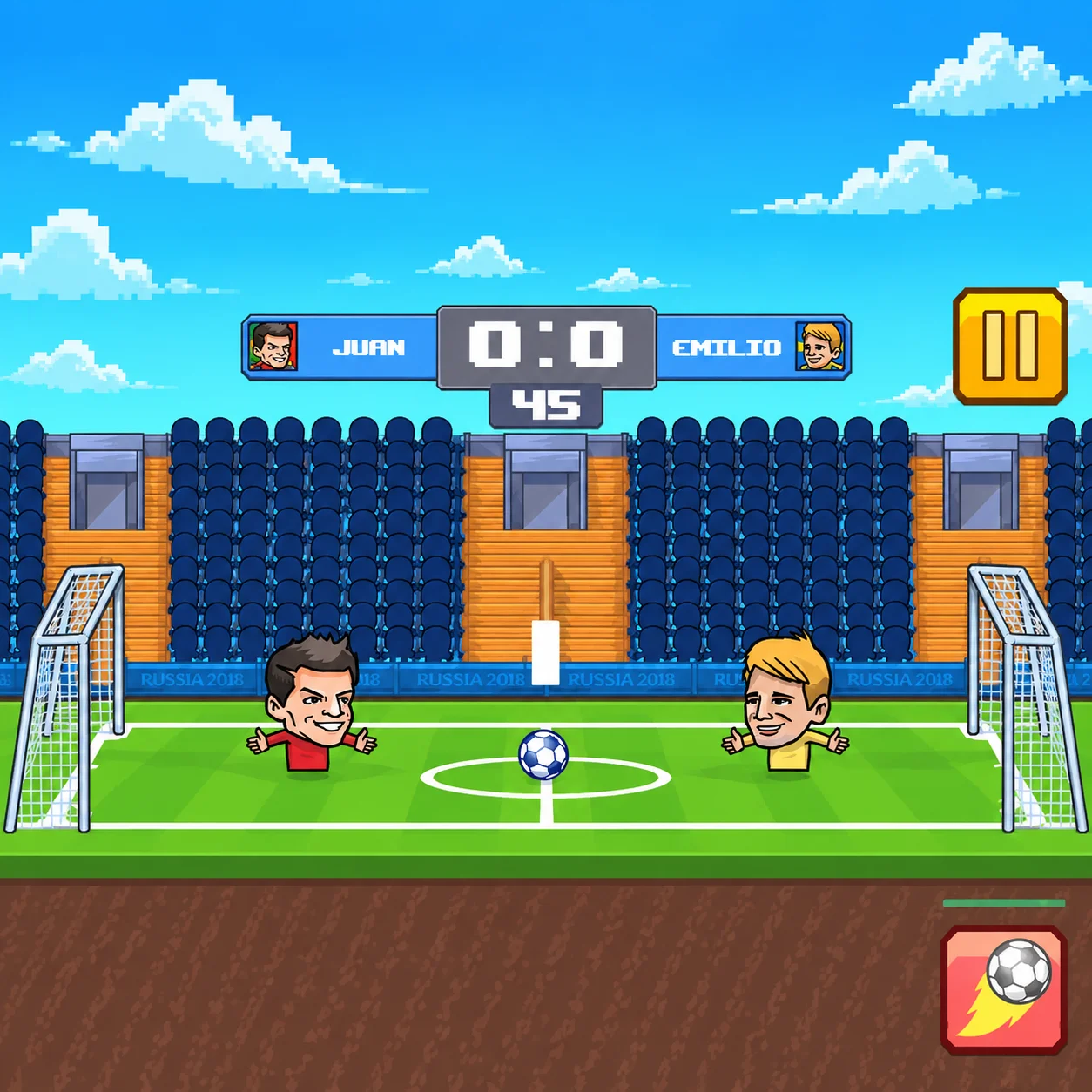
Football Legends 2 is a fast-paced arcade soccer game featuring exaggerated players, compact pitches, powerful kicks, and spectacular special moves. Choose a team and compete against computer-controlled opponents or another player sharing the same keyboard.
Matches can feature individual players or small teams. Instead of managing eleven footballers, you control one character directly and handle every important action: movement, jumping, sliding, shooting, tackling, and activating a super shot.
The simple format makes each match easy to understand, while rebounds and special abilities create unpredictable situations around both goals.
- HTML5
How to Play Football Legends 2
Select a single-player or local two-player mode and choose your preferred football team. You may compete in 1v1 matches or use a partner in supported team configurations.
Move around the field, jump to intercept high balls, slide to challenge opponents, and press the shot button to kick. When the special ability is ready, activate the super shot to launch a more dangerous attack.
Score more goals than the opposing side before the match timer expires. In tournament play, continue defeating opponents to advance through the competition.
Football Legends 2 Controls
Two-Player Controls
Choose a Game Mode
Football Legends 2 supports several ways to play. Enter a solo match against the computer, progress through a tournament, or invite another person to share the keyboard.
Depending on the browser version, available configurations can include:
One player against the computer
Local player-versus-player matches
One-on-one football
Two-on-two team matches
Cooperative play against computer opponents
Tournament competition
Start with a solo match to learn the controls before facing another player.
Select Your Team
Choose from teams represented by cartoon-style football stars. Characters may have different visual designs and special-shot animations.
Your choice should match the way you want to play. A direct attacker suits aggressive players, while another character’s special ability may work better from a particular position.
Try multiple teams instead of judging every character by the first match.
Move Around the Pitch
Use left and right movement to stay between the ball and your own goal or to create space for an attack. Because the pitch is compact, possession can change quickly.
Avoid following the ball without considering your position. Moving too far forward leaves the goal exposed, while remaining too deep gives the opponent time to shoot.
Good positioning makes jumping, tackling, and shooting considerably easier.
Jump for High Balls
Jumping allows your player to reach bouncing or airborne footballs. Use it to block high shots, win headers, or strike the ball before an opponent.
Timing is more important than jumping repeatedly. If you leave the ground too early, the ball may pass underneath or bounce behind your player.
Watch the height and direction of the football, then jump shortly before it enters your reach.
Slide and Tackle
Sliding helps you challenge an opponent, reach a loose ball, or block a low shot. It can quickly change possession when used at the correct moment.
An unnecessary slide leaves your character temporarily committed to the animation. The opponent can jump over the challenge and attack the open goal.
Slide when the ball is reachable, not simply because the other player is nearby.
Take Regular Shots
The standard shot is your primary attacking tool. Use it to send the ball toward the goal, clear danger, or challenge the goalkeeper from distance.
The result depends heavily on your position relative to the football. Striking from behind sends it forward, while contacting the ball from below can create a higher trajectory.
Move into a useful position before shooting instead of pressing the action button continuously.
Use the Super Shot
The super shot is a powerful special ability that becomes available after its energy or cooldown requirement is satisfied. Depending on the selected character, it may create an extremely fast strike or another unusual effect.
Do not activate it when the ball is behind your player or outside useful range. A special move can be wasted if your positioning is poor.
Save it for a clear attacking opportunity, a decisive late moment, or a situation where the opponent cannot easily block the initial path.
Defend Your Goal
Because the field is small, nearly any loose ball can become a scoring opportunity. Return toward your own goal as soon as possession is lost.
Position your character between the opponent and the center of the goal. Jump for high attacks and use controlled slides against low balls.
Avoid standing directly inside the net for too long. Moving slightly forward can help you block the shot before it gains speed.
Attack With Rebounds
Shots frequently bounce from the goalkeeper, posts, crossbar, or another player. Follow your attack instead of stopping after the first kick.
A rebound can create a much easier scoring opportunity than the original shot. Stay close enough to react, but avoid moving so far forward that the opponent can clear the ball over your character.
Many goals come from winning the second contact rather than producing one perfect strike.
Play One-on-One Matches
In 1v1 mode, every mistake matters because no teammate can cover an open position. You must balance attacking pressure with defensive responsibility.
Move forward when you control the football, then recover immediately after losing it. Use jumps and slides selectively so the opponent cannot exploit an unfinished animation.
The compact format makes 1v1 matches fast, direct, and highly competitive.
Play Two-on-Two Matches
Two-on-two matches add teamwork and more crowded goal areas. One player can attack while the other protects against a counterattack.
Avoid standing in exactly the same location as your teammate. Spacing creates additional passing, rebound, and defensive opportunities.
When playing cooperatively, communicate about who will challenge the ball and who will cover the goal.
Local Two-Player Strategy
- Football Legends 2 is especially entertaining when two people share one keyboard. The separate control layouts allow both players to move and use special actions simultaneously.
- Before beginning, confirm that each person understands their keys. Keeping hands within the assigned areas prevents accidental interference.
- Against a friend, vary your shot timing and super-shot usage. A predictable approach becomes easier to block after several attacks.
Tournament Strategy
- Tournament mode requires consistent performance across multiple matches. Winning one round is not enough; you must adapt to different opponents and reach the final stages.
- Use early matches to understand the chosen character’s movement and special ability. Against stronger opponents, prioritize defensive positioning and avoid giving away easy rebounds.
- Stay patient when falling behind. The fast pace allows the score to change several times before the timer expires.
Best Attacking Strategy
- Use this approach to create more scoring opportunities:
- Move behind the football before shooting.
- Watch the opponent’s position.
- Use a normal kick to force a rebound.
- Follow the ball toward the goal.
- Jump when it rises above standing height.
- Save the super shot for a clear path.
- Change your timing instead of shooting predictably.
- Recover immediately if the attack fails.
- Constant pressure works best when it does not leave your own goal completely exposed.
Best Defensive Strategy
- Effective defense begins with positioning:
- Stay between the ball and your goal.
- Do not slide unless the challenge is likely to connect.
- Jump only when the ball is genuinely airborne.
- Block super shots as early as possible.
- Clear rebounds toward the opponent’s side.
- Move forward when the attacker loses control.
- Avoid remaining trapped inside the goal.
- Turn defensive clearances into counterattacks.
- A strong defender anticipates the next contact rather than reacting only after the shot begins.
Beginner Tips for Football Legends 2
- Learn normal movement before relying on special attacks.
- Stay behind the ball when preparing to shoot.
- Avoid jumping and sliding without a clear purpose.
- Follow every shot in case it creates a rebound.
- Keep your player between the opponent and your goal.
- Do not activate a super shot from a poor position.
- Practice against the computer before starting local multiplayer.
- Learn how the ball reacts to different contact angles.
- Watch the timer and score throughout the match.
- Use fullscreen mode when two players share the keyboard.
Common Mistakes to Avoid in Football Legends 2
Repeatedly pressing the shot button often
Repeatedly pressing the shot button often creates weak or poorly directed kicks. Position your player first and choose the correct moment.
Another mistake is using the super
Another mistake is using the super shot as soon as it becomes available. Saving it for a better position usually produces a more dangerous attempt.
Players also tend to chase the
Players also tend to chase the ball into the opponent’s goal area and leave their own side unprotected. Prepare to retreat whenever possession becomes uncertain.
In two-player team modes, both teammates should not attack the same ball from the same direction. Better spacing creates more useful options.
Why Football Legends 2 Is Fun
Football Legends 2 combines simple soccer rules with exaggerated arcade action. Huge kicks, unusual rebounds, special powers, and compact fields make every match unpredictable.
Local multiplayer is a major part of the appeal. Two people can compete or cooperate using one keyboard without creating accounts or joining an online lobby.
The game is accessible enough for a first-time player but provides room to improve through positioning, tackle timing, rebound control, and intelligent super-shot use.
Browser Game Experience for Football Legends 2
Football Legends 2 is designed for play through a desktop web browser. Keyboard controls provide quick movement and allow two players to compete on the same computer.
Click inside the game frame before pressing the controls. If the browser scrolls instead of moving the character, return focus to the gameplay area or enter fullscreen mode.
Some keyboards limit the number of simultaneous inputs they can register. If actions stop responding during local multiplayer, try using fewer keys at exactly the same moment or connect a different keyboard.
Game Features in Football Legends 2
- Fast arcade soccer matches
- Single-player gameplay
- Local two-player mode
- One-on-one and team configurations
- Tournament competition
- Cartoon-style football stars
- Jumping and sliding
- Regular shots and tackles
- Character super shots
- Compact playing fields
- Rebound-based action
- Keyboard controls
- Competitive and cooperative play
- Direct browser access
Football Legends 2 FAQ
What is Football Legends 2?
Football Legends 2 is an arcade soccer game featuring solo matches, local multiplayer, jumping, tackling, and powerful special shots in Football Legends 2.
Who developed the browser version?
Football Legends 2: The established Football Legends browser series described here was developed by MadPuffers in Football Legends 2.
Is Football Legends 2 an official title?
Football Legends 2: The name is used by some portals and game sites, but the HTML5 series is more commonly listed under titles such as Football Legends, Football Legends 2016, or Soccer Legends. It should not be confused with unrelated Roblox games bearing the same name in Football Legends 2.
Can I play Football Legends 2 with a friend?
Football Legends 2: Yes. The game supports local two-player competition on the same keyboard in Football Legends 2.
Can two players cooperate?
Football Legends 2: Supported versions allow two players to form a team against computer-controlled opponents in Football Legends 2.
How do I shoot?
Football Legends 2: In single-player mode, use X or L. In local multiplayer, Player 1 uses B and Player 2 uses L in Football Legends 2.
How do I use the super shot?
Football Legends 2: In single-player mode, use Z or K. In two-player mode, Player 1 uses V and Player 2 uses K in Football Legends 2.
What does sliding do?
Football Legends 2: Sliding helps challenge an opponent, block a low ball, or reach possession quickly in Football Legends 2.
When should I use a super shot?
Football Legends 2: Activate it when the football is within useful range and there is a reasonably clear path toward the goal in Football Legends 2.
Can I play in a tournament?
Football Legends 2: Yes. The established browser editions include tournament-style competition against computer-controlled teams in Football Legends 2.
Is this an online multiplayer game?
Football Legends 2: Its multiplayer option is primarily local, meaning two people play on the same computer and keyboard in Football Legends 2.
Do I need to download the game?
Football Legends 2: No conventional installation is required when using a compatible browser version in Football Legends 2.
How do you play Football Legends 2?
Football Legends 2: Select a single-player or local two-player mode and choose your preferred football team. You may compete in 1v1 matches or use a partner in supported team configurations in Football Legends 2.
How do you control Football Legends 2?
Football Legends 2: In Football Legends 2, use Football Legends 2: Left and Right Arrow Keys or A and D (In Football Legends 2, move.); Football Legends 2: Up Arrow or W (In Football Legends 2, jump.); Football Legends 2: Down Arrow or S (In Football Legends 2, slide.).
Who developed Football Legends 2?
Football Legends 2 was developed by MadPuffers.

Similar Games to Football Legends 2
Near Football Legends 2:
- Football Legends 2 and Football Legends
- Football Legends 2 and American Football Kicks
- Football Legends 2 and Football Penalty Champions
- Football Legends 2 and Free Kick Football
- Football Legends 2 and Axis Football League
- Football Legends 2 and Football Run
- Football Legends 2 and 2 Minute Football
- Football Legends 2 and Real Football
Keep playing Football Legends 2 here:
Final Thoughts on Football Legends 2
Football Legends 2 offers fast soccer action with accessible controls, special abilities, and entertaining local multiplayer. Move into position, challenge for possession, follow every rebound, and save your strongest attacks for the moments when they can decide the match.
Choose your team, master its super shot, defeat the computer or a nearby friend, and earn your place among the football legends.
Frequently Asked Questions
What is Football Legends 2?
Football Legends 2 is an arcade soccer game featuring solo matches, local multiplayer, jumping, tackling, and powerful special shots in Football Legends 2.
Who developed the browser version?
Football Legends 2: The established Football Legends browser series described here was developed by MadPuffers in Football Legends 2.
Is Football Legends 2 an official title?
Football Legends 2: The name is used by some portals and game sites, but the HTML5 series is more commonly listed under titles such as Football Legends, Football Legends 2016, or Soccer Legends. It should not be confused with unrelated Roblox games bearing the same name in Football Legends 2.
Can I play Football Legends 2 with a friend?
Football Legends 2: Yes. The game supports local two-player competition on the same keyboard in Football Legends 2.
Can two players cooperate?
Football Legends 2: Supported versions allow two players to form a team against computer-controlled opponents in Football Legends 2.
How do I shoot?
Football Legends 2: In single-player mode, use X or L. In local multiplayer, Player 1 uses B and Player 2 uses L in Football Legends 2.
How do I use the super shot?
Football Legends 2: In single-player mode, use Z or K. In two-player mode, Player 1 uses V and Player 2 uses K in Football Legends 2.
What does sliding do?
Football Legends 2: Sliding helps challenge an opponent, block a low ball, or reach possession quickly in Football Legends 2.
When should I use a super shot?
Football Legends 2: Activate it when the football is within useful range and there is a reasonably clear path toward the goal in Football Legends 2.
Can I play in a tournament?
Football Legends 2: Yes. The established browser editions include tournament-style competition against computer-controlled teams in Football Legends 2.
Is this an online multiplayer game?
Football Legends 2: Its multiplayer option is primarily local, meaning two people play on the same computer and keyboard in Football Legends 2.
Do I need to download the game?
Football Legends 2: No conventional installation is required when using a compatible browser version in Football Legends 2.
How do you play Football Legends 2?
Football Legends 2: Select a single-player or local two-player mode and choose your preferred football team. You may compete in 1v1 matches or use a partner in supported team configurations in Football Legends 2.
How do you control Football Legends 2?
Football Legends 2: In Football Legends 2, use Football Legends 2: Left and Right Arrow Keys or A and D (In Football Legends 2, move.); Football Legends 2: Up Arrow or W (In Football Legends 2, jump.); Football Legends 2: Down Arrow or S (In Football Legends 2, slide.).
Who developed Football Legends 2?
Football Legends 2 was developed by MadPuffers.