Games›Sports›Heads Arena: Soccer All Stars

Heads Arena: Soccer All Stars

Developer:Unknown Developer
Rating:⭐ 5.0 (1,234 votes)
Released:2024
Technology:HTML5
Platforms:Browser

About Heads Arena: Soccer All Stars

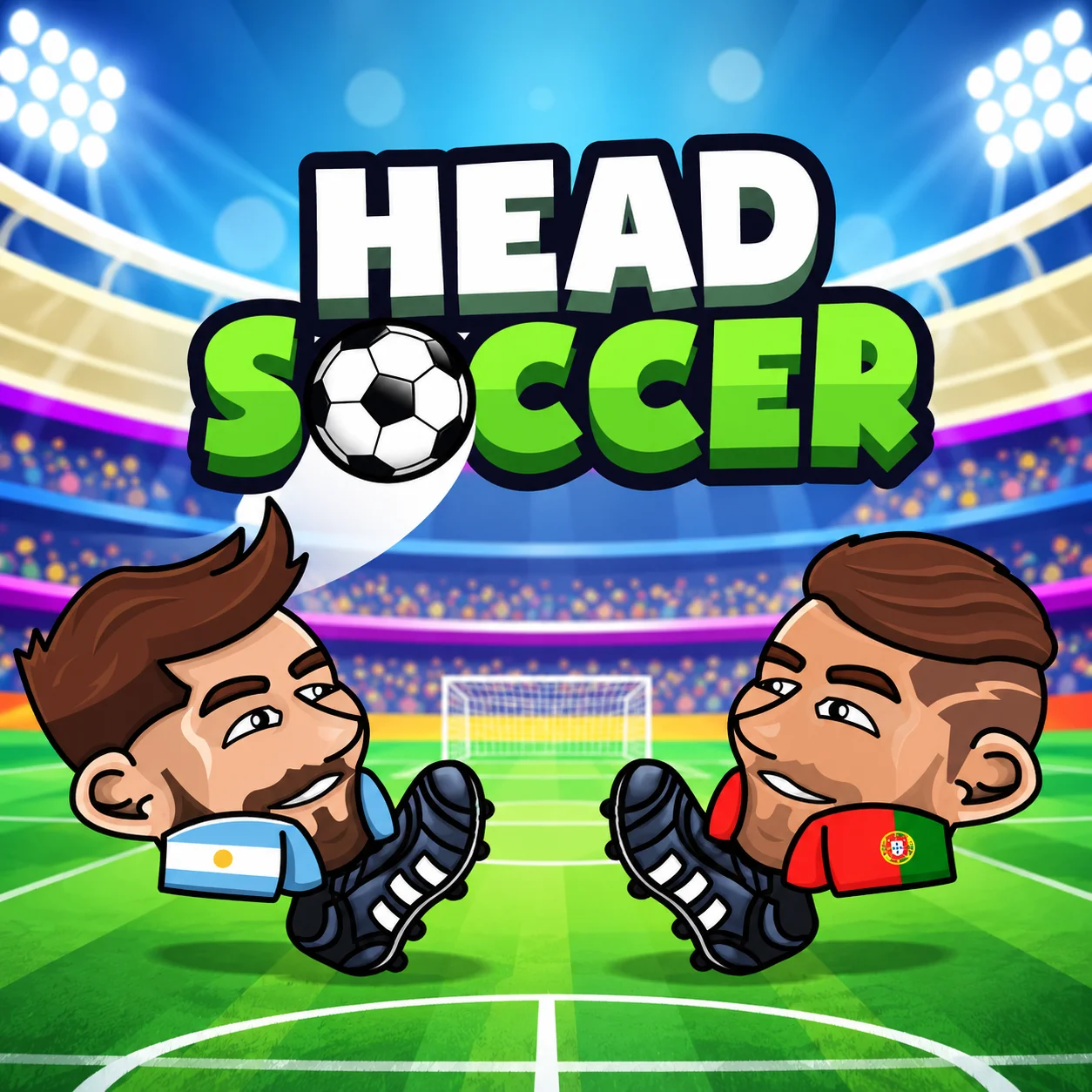
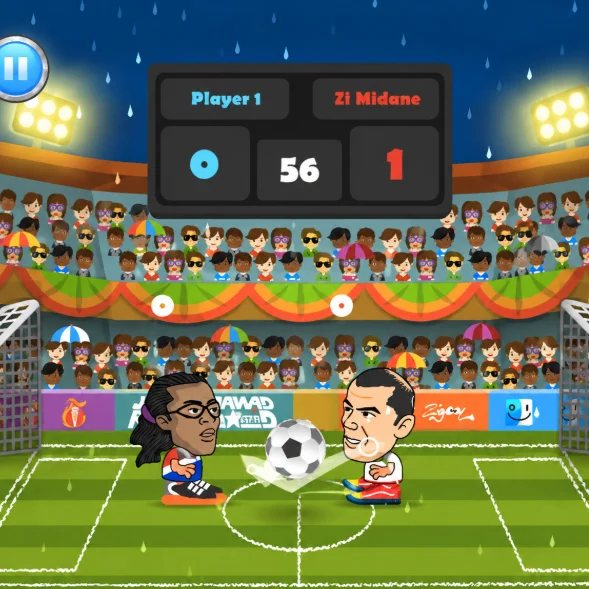
Heads Arena: Soccer All Stars is an arcade football game from Poki Studios that places cartoon players with oversized heads on a compact two-dimensional pitch. Its basic rules are easy to understand: move, jump, kick, and score more goals than the opposing side.

The game features 13 teams and supports solo, 1v1, and 2v2 match configurations. You can compete against computer-controlled players, challenge a friend, or set up a chaotic four-player match using one keyboard.

Each game lasts approximately 90 seconds. The small pitch and exaggerated ball physics create constant scoring opportunities, with possession often changing after a single bounce or mistimed jump.

Tournament play gives solo players a championship objective, while Party mode focuses on same-computer competition and cooperation. The HTML5 edition runs directly in a compatible browser without requiring a separate installation.

  • HTML5

How to Play Heads Arena: Soccer All Stars

  1. Choose your preferred team and match format. In solo play, control one big-headed player against a computer opponent. Team matches place two players on each side and require better positional discipline.

  2. Move underneath the ball to use the character’s head for aerial challenges. When the ball reaches ground level, press the kick key to shoot, clear, or redirect it.

  3. The standard match sequence is:

  4. Move toward the ball without abandoning your goal.

  5. Jump to challenge high bounces and block aerial shots.

  • Kick when the ball reaches a useful position.
  • Remain between the ball and your own net while defending.
  • Use rebounds to create counterattacks.
  • Coordinate roles with a teammate during 2v2 matches.
  • Finish with more goals when the timer reaches zero.
  • Win tournament fixtures to continue toward the championship.
  • There are no complicated passing combinations or special moves. Most of the depth comes from positioning, timing, and predicting how the ball will react after striking a head, foot, player, or goal structure.

Heads Arena: Soccer All Stars Controls

Heads Arena: Soccer All Stars Controls

Player
Movement
Kick
Heads Arena: Soccer All Stars: Player 1
Arrow Keys
In Heads Arena: Soccer All Stars, spacebar
Heads Arena: Soccer All Stars: Player 2
W, A, D
In Heads Arena: Soccer All Stars, q
Heads Arena: Soccer All Stars: Player 3
Numpad 1, 5, 3
In Heads Arena: Soccer All Stars, numpad 0
Heads Arena: Soccer All Stars: Player 4
J, I, L
In Heads Arena: Soccer All Stars, h

The Main Objective in Heads Arena: Soccer All Stars

Its basic rules are easy to understand: move, jump, kick, and score more goals than the opposing side.

Teams, Match Formats, and Difficulty Levels

Option
Description
Recommended For
Solo Match
One human player competes against the computer
Learning movement and timing
1v1
Two opponents compete directly
Fast local competition
2v2
Two-player teams compete on a crowded field
Cooperation and four-player matches
Tournament
Consecutive victories lead toward a championship
Longer solo sessions
Party Mode
Local players share one keyboard
Playing with friends
Easy Difficulty
Slower or less effective computer opposition
New players
Medium Difficulty
More competitive AI behavior
Players familiar with the controls
Hard Difficulty
Stronger positioning and reactions
Experienced players

Beginner Tips for Heads Arena: Soccer All Stars

  • Protect your goal before attacking. Remaining on the correct side of the ball prevents easy counterattacks.
  • Do not jump continuously. A player in the air cannot quickly respond when the ball rolls underneath them.
  • Use the oversized head as a defensive tool. Standing beneath an incoming shot can be more reliable than attempting an immediate kick.
  • Face the opposing goal before striking. Kicking while turning often sends the ball vertically or backward.
  • Watch the ball’s direction after every collision. The next bounce matters more than its current position.
  • Avoid standing deep inside your own net. A rebound can become trapped behind the character and count as a goal.
  • Start on Easy difficulty. Learn the physics and match rhythm before challenging stronger computer opponents.
  • In 2v2 matches, decide who will defend. Clear roles reduce accidental collisions and prevent both teammates from leaving the goal simultaneously.

Advanced Tips for Heads Arena: Soccer All Stars

  • Control the middle of the pitch. A central position provides access to both attacking rebounds and defensive clearances.
  • Time headers near the top of the jump. Meeting the ball at the correct height creates a flatter and more powerful trajectory.
  • Use soft body contact when a full kick is unnecessary. Allowing the ball to bounce from the character’s head can preserve control better than striking it across the field.
  • Anticipate the opponent’s jump. If they leave the ground early, keep the ball low or wait for them to land before kicking.
  • Turn defense into attack. A well-angled header near your goal can clear the danger and travel directly toward the opposing net.
  • Use one player to apply pressure in 2v2 while the teammate covers the center. The defender can then move forward once possession is secure.
  • Avoid overlapping teammates. Two characters occupying the same position can block one another and create unpredictable own-goal rebounds.
  • Protect a lead during the final seconds. Clear the ball away from the center and avoid unnecessary jumps near your own goal.
  • Test every control group before starting a four-player game. Resolving keyboard input conflicts in advance prevents a competitive match from being interrupted.

Game Features in Heads Arena: Soccer All Stars

  • Teams, Match Formats, and Difficulty Levels

Heads Arena: Soccer All Stars FAQ

What is Heads Arena: Soccer All Stars?

Heads Arena: Soccer All Stars: It is a browser-based arcade football game featuring oversized characters, 13 teams, short matches, tournament progression, and local multiplayer in Heads Arena: Soccer All Stars.

Who created Heads Arena: Soccer All Stars?

Heads Arena: Soccer All Stars: The current official browser listing credits Poki Studios as the developer in Heads Arena: Soccer All Stars.

How many teams can I choose from?

Heads Arena: Soccer All Stars: The game contains 13 selectable football teams in Heads Arena: Soccer All Stars.

How long does each match last?

Heads Arena: Soccer All Stars: A standard match lasts approximately 90 seconds in Heads Arena: Soccer All Stars.

Can I play the game alone?

Heads Arena: Soccer All Stars: Yes. Solo play lets you compete against computer-controlled opponents and enter the tournament in Heads Arena: Soccer All Stars.

Does Heads Arena: Soccer All Stars have two-player mode?

Heads Arena: Soccer All Stars: Yes. Two people can compete in a local 1v1 match using the same keyboard in Heads Arena: Soccer All Stars.

Can four people play together?

Heads Arena: Soccer All Stars: Yes. Party mode supports four local participants in a 2v2 setup, provided the keyboard can register all required simultaneous inputs in Heads Arena: Soccer All Stars.

Is the multiplayer mode online?

In Heads Arena: Soccer All Stars, heads Arena: Soccer All Stars: The standard web version focuses on local shared-keyboard (Heads Arena: Soccer All Stars) multiplayer rather than internet matchmaking in Heads Arena: Soccer All Stars.

What is the difference between 1v1 and 2v2?

Heads Arena: Soccer All Stars: A 1v1 match gives each side one character. A 2v2 match places two characters on each team, adding cooperation and more crowded rebounds in Heads Arena: Soccer All Stars.

Why is my keyboard not detecting every player?

Heads Arena: Soccer All Stars: Some keyboards cannot register certain combinations of simultaneous keys. This hardware limitation is called keyboard ghosting in Heads Arena: Soccer All Stars.

How do I kick the ball?

Heads Arena: Soccer All Stars: Player 1 uses Spacebar. The other local players use Q, Numpad 0, or H, depending on their assigned control group in Heads Arena: Soccer All Stars.

Can I play Heads Arena: Soccer All Stars without downloading it?

Heads Arena: Soccer All Stars: Yes. The HTML5 version runs directly (Heads Arena: Soccer All Stars) in a compatible web browser. in Heads Arena: Soccer All Stars.

How do you play Heads Arena: Soccer All Stars?

Heads Arena: Soccer All Stars: Choose your preferred team and match format. In solo play, control one big-headed player against a computer opponent. Team matches place two players on each side and require better positional discipline in Heads Arena: Soccer All Stars.

How do you control Heads Arena: Soccer All Stars?

Heads Arena: Soccer All Stars: In Heads Arena: Soccer All Stars, use Heads Arena: Soccer All Stars: Player 1 (Arrow Keys); Heads Arena: Soccer All Stars: Player 2 (W, A, D); Heads Arena: Soccer All Stars: Player 3 (Numpad 1, 5, 3) in Heads Arena: Soccer All Stars.

What is the goal in Heads Arena: Soccer All Stars?

Heads Arena: Soccer All Stars: Its basic rules are easy to understand: move, jump, kick, and score more goals than the opposing side in Heads Arena: Soccer All Stars.


Similar Games to Heads Arena: Soccer All Stars

Near Heads Arena: Soccer All Stars:

Keep playing Heads Arena: Soccer All Stars here:

Frequently Asked Questions

What is Heads Arena: Soccer All Stars?

Heads Arena: Soccer All Stars: It is a browser-based arcade football game featuring oversized characters, 13 teams, short matches, tournament progression, and local multiplayer in Heads Arena: Soccer All Stars.

Who created Heads Arena: Soccer All Stars?

Heads Arena: Soccer All Stars: The current official browser listing credits Poki Studios as the developer in Heads Arena: Soccer All Stars.

How many teams can I choose from?

Heads Arena: Soccer All Stars: The game contains 13 selectable football teams in Heads Arena: Soccer All Stars.

How long does each match last?

Heads Arena: Soccer All Stars: A standard match lasts approximately 90 seconds in Heads Arena: Soccer All Stars.

Can I play the game alone?

Heads Arena: Soccer All Stars: Yes. Solo play lets you compete against computer-controlled opponents and enter the tournament in Heads Arena: Soccer All Stars.

Does Heads Arena: Soccer All Stars have two-player mode?

Heads Arena: Soccer All Stars: Yes. Two people can compete in a local 1v1 match using the same keyboard in Heads Arena: Soccer All Stars.

Can four people play together?

Heads Arena: Soccer All Stars: Yes. Party mode supports four local participants in a 2v2 setup, provided the keyboard can register all required simultaneous inputs in Heads Arena: Soccer All Stars.

Is the multiplayer mode online?

In Heads Arena: Soccer All Stars, heads Arena: Soccer All Stars: The standard web version focuses on local shared-keyboard (Heads Arena: Soccer All Stars) multiplayer rather than internet matchmaking in Heads Arena: Soccer All Stars.

What is the difference between 1v1 and 2v2?

Heads Arena: Soccer All Stars: A 1v1 match gives each side one character. A 2v2 match places two characters on each team, adding cooperation and more crowded rebounds in Heads Arena: Soccer All Stars.

Why is my keyboard not detecting every player?

Heads Arena: Soccer All Stars: Some keyboards cannot register certain combinations of simultaneous keys. This hardware limitation is called keyboard ghosting in Heads Arena: Soccer All Stars.

How do I kick the ball?

Heads Arena: Soccer All Stars: Player 1 uses Spacebar. The other local players use Q, Numpad 0, or H, depending on their assigned control group in Heads Arena: Soccer All Stars.

Can I play Heads Arena: Soccer All Stars without downloading it?

Heads Arena: Soccer All Stars: Yes. The HTML5 version runs directly (Heads Arena: Soccer All Stars) in a compatible web browser. in Heads Arena: Soccer All Stars.

How do you play Heads Arena: Soccer All Stars?

Heads Arena: Soccer All Stars: Choose your preferred team and match format. In solo play, control one big-headed player against a computer opponent. Team matches place two players on each side and require better positional discipline in Heads Arena: Soccer All Stars.
How do you control Heads Arena: Soccer All Stars?

Heads Arena: Soccer All Stars: In Heads Arena: Soccer All Stars, use Heads Arena: Soccer All Stars: Player 1 (Arrow Keys); Heads Arena: Soccer All Stars: Player 2 (W, A, D); Heads Arena: Soccer All Stars: Player 3 (Numpad 1, 5, 3) in Heads Arena: Soccer All Stars.
What is the goal in Heads Arena: Soccer All Stars?

Heads Arena: Soccer All Stars: Its basic rules are easy to understand: move, jump, kick, and score more goals than the opposing side in Heads Arena: Soccer All Stars.