About Football Strike
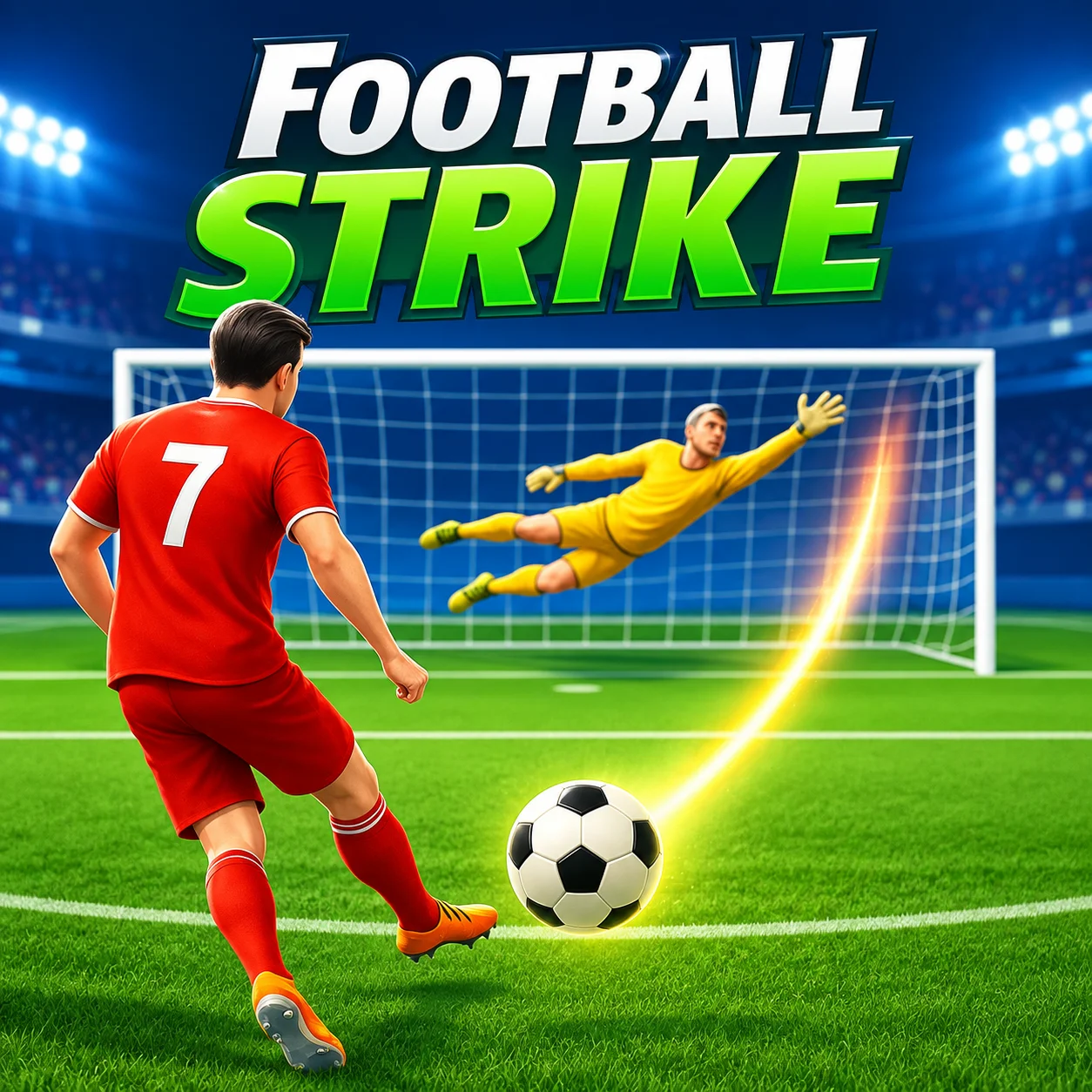
Football Strike is a skill-based soccer game created by Miniclip. Rather than controlling an entire team through a full-length match, you concentrate on two of football’s most exciting moments: shooting at the goal and defending it as the goalkeeper.
When attacking, you draw a path for the ball and attempt to place your shot beyond the goalkeeper’s reach. When defending, you must read the incoming strike and react quickly enough to make the save.
Accessible mouse controls make Football Strike easy to begin, but accurate placement, curved trajectories, and fast goalkeeping require practice to master.
How to Play Football Strike
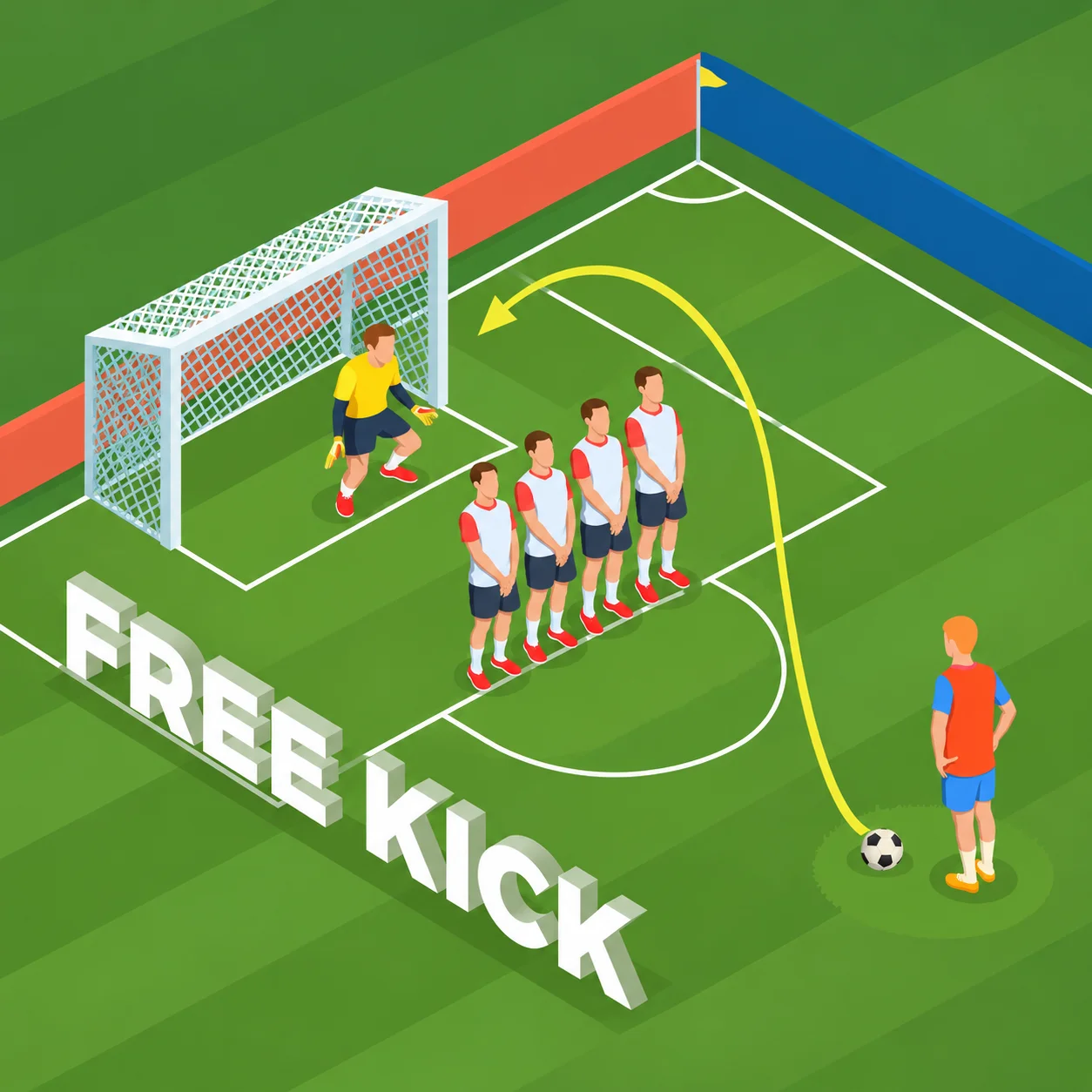
When taking a free kick, place the mouse pointer on or near the ball. Hold the left mouse button and drag in the direction you want the ball to travel.
Release the button to take the shot. The path, speed, and shape of your mouse movement influence how the ball approaches the goal.
When playing as the goalkeeper, watch the opponent’s movement and drag or click toward the expected destination of the shot. React before the ball crosses the goal line.
Football Strike Controls
The Main Objective in Football Strike
Your objective changes according to the selected game mode. You may need to score more goals than an opponent, hit targets before another player, defend the net, or complete a series of career challenges.
Every mode rewards accuracy and consistency. A powerful shot is not automatically a good shot if it travels directly toward the goalkeeper.
Learn to place the ball inside difficult areas of the goal while remaining accurate under pressure.
Master the Swipe-to-Shoot System
Football Strike uses an intuitive drawing mechanic instead of a traditional power button. Your mouse movement represents the direction in which the ball will travel.
A straight movement produces a relatively direct shot. Drawing toward one side can place the ball near a post, while an arcing movement can make it bend through the air.
Keep your movements smooth. Erratic dragging can produce an inaccurate trajectory or send the ball outside the goal.
Aim for the Corners
The central area of the goal is usually easier for a goalkeeper to defend. Shots directed toward the upper and lower corners force the keeper to cover more distance.
Corner shots require precision because aiming too far outward will result in a miss. Practice placing the ball just inside the posts rather than targeting the extreme edge immediately.
Once your accuracy improves, alternate between different corners to become less predictable.
Curve the Ball
Curved shots allow you to bend the ball around defensive obstacles and away from the goalkeeper. Instead of drawing a perfectly straight line, move the mouse along a controlled arc before releasing.
The shape of the gesture influences the direction of the curve. Start with gentle arcs and gradually experiment with stronger movement.
A well-placed curve can begin near the center and finish inside a corner, making the shot much harder to anticipate.
Control Shot Power
The speed and length of your shooting gesture can affect the power of the strike in supported versions. A faster, longer movement generally produces a more forceful shot.
Powerful strikes reduce the goalkeeper’s reaction time but may be harder to control. Slower shots provide greater placement accuracy but give the defender more time to respond.
Use enough power to challenge the goalkeeper without sacrificing control.
Play Shooting Race
Shooting Race challenges players to hit targets and accumulate points as quickly as possible. The objective is not simply to place the ball anywhere inside the goal.
Different targets may offer different point values. Aim for valuable areas when you have a clear shot, but avoid wasting too much time attempting a difficult target repeatedly.
Speed, accuracy, and target selection are equally important in this competitive mode.
Play Free Kicks Mode
Free Kicks mode alternates the attacking and defending roles. You must score against the opposing goalkeeper and then protect your own goal from incoming shots.
Success requires two distinct skills. Creative shooting helps you build a lead, while quick reactions prevent the opponent from recovering.
Study your rival’s patterns and vary your own shots to gain an advantage across the complete contest.
Progress Through Career Mode
Career mode presents a sequence of challenges that gradually tests your shooting and goalkeeping abilities. Objectives become more demanding as you advance.
A stage may require precise target hits, successful saves, or shots from increasingly difficult positions. Completing these challenges provides rewards and demonstrates your improvement.
Use earlier stages to practice basic techniques before attempting the more advanced scenarios.
Defend as the Goalkeeper
When it is your turn to defend, focus on the shooter and the early movement of the ball. React by directing the goalkeeper toward the expected destination.
Waiting too long can make even a predictable shot impossible to stop. Diving too early, however, allows the attacker to place the ball into the open side.
Balance anticipation with patience and be prepared to cover shots at different heights.
Read Your Opponent
Competitive rounds are partly a contest of prediction. Players often develop habits, such as repeatedly aiming toward their preferred corner.
Remember where the opponent placed previous shots and adjust your next save accordingly. At the same time, avoid creating an obvious pattern when you are attacking.
Changing placement, power, and curve makes it more difficult for the rival to anticipate your decisions.
Hit Score Targets
Some challenges place score targets inside the goal. Striking these marked areas can produce points or help complete the current objective.
Do not aim at every target in the same way. A central target may require a straight shot, while one positioned near a corner is easier to reach with controlled placement or curve.
Prioritize consistency when the timer is running. Several reliable hits may be more valuable than one risky attempt.
Shoot Around Defensive Walls
A defensive wall can block direct access to part of the goal. You must either lift the ball over the players or bend it around their side.
Look for the largest available gap and compare it with the goalkeeper’s position. The obvious open route may already be protected, making a curved shot toward the opposite side more effective.
Practice altering the ball’s trajectory without sending it outside the posts.
Customize Your Player
Football Strike includes customization options that allow you to change your player’s appearance and football equipment. Available items may include shirts, shorts, hairstyles, boots, and balls.
Cosmetic items provide progression outside individual matches. Some hosted browser builds may offer a smaller selection than the complete official version.
Customization does not replace shooting skill, but it gives you a more personal identity on the field.
Upgrade Your Equipment
Certain versions allow players to obtain or upgrade footballs and other equipment. Equipment attributes may influence qualities such as power, accuracy, or curve.
Choose items that complement your preferred approach. Players who rely on difficult bending shots may value curve, while those who prefer direct strikes may prioritize power or accuracy.
Check the attributes shown in your hosted version before spending currency or upgrade resources.
Earn Coins and Rewards
Matches, challenges, and progression objectives can provide coins or other rewards. These resources may be used to obtain customization items and improve available equipment.
Avoid spending everything immediately. Saving for an item that meaningfully supports your play style may be more useful than purchasing several minor cosmetic options.
Reward systems can differ between browser builds, so consult the menus available in the version you are playing.
Best Shooting Strategy
- Begin with controlled shots toward the open side of the goal. Once you understand the input system, start aiming closer to the corners.
- Observe the goalkeeper’s initial position. If the keeper stands toward one side, place the ball into the larger available space or use curve to move it away from the expected dive.
- Do not repeat identical trajectories. Alternate between high, low, left, right, curved, and direct shots.
Best Goalkeeping Strategy
- Watch the shot rather than moving randomly. The earliest part of the ball’s path can reveal its likely destination, although curved strikes may change direction later.
- Protect the corners without ignoring the center. Some opponents deliberately use simple central shots after several wide attempts.
- If you recognize a repeated pattern, anticipate it—but remain ready for the attacker to change tactics.
Beginner Tips for Football Strike
- Start with straight shots before practicing strong curves.
- Aim inside the posts rather than directly at their edges.
- Use smooth mouse movements for better control.
- Watch the goalkeeper’s starting position.
- Alternate between the left and right sides of the goal.
- Practice goalkeeping instead of focusing only on shooting.
- Complete easier career challenges to learn the mechanics.
- Keep the browser game in focus so every input is registered.
- Use full-screen mode when available for more precise aiming.
Advanced Tips for Football Strike
- Use a late curve to disguise the final direction of the shot.
- Target upper corners when the goalkeeper remains low.
- Mix powerful strikes with slower, carefully placed shots.
- Memorize how different mouse gestures affect the ball.
- In Shooting Race, balance target value against the time required.
- Observe opponent patterns across several rounds.
- Avoid revealing your preferred corner too early.
- Adjust your technique when using equipment with different attributes.
Common Mistakes to Avoid in Football Strike
One common mistake is using maximum
One common mistake is using maximum power on every attempt. Excessive speed can reduce control and send the ball outside the goal.
Another mistake is drawing an uncontrolled
Another mistake is drawing an uncontrolled curve. A smooth, intentional arc is more reliable than a sudden movement near the end of the gesture.
When defending, do not choose a
When defending, do not choose a direction before the opponent shoots. Premature dives leave a large section of the goal unprotected.
Why Football Strike Is Fun
Football Strike removes the slower parts of a full soccer match and concentrates on decisive confrontations between striker and goalkeeper.
Every attempt lasts only a few seconds, but small differences in aim can change the outcome. Competitive modes create pressure, while Career mode gives players a structured way to improve.
The simple mouse input makes the game approachable, and the variety of trajectories provides enough depth for repeated play.
Browser Game Experience for Football Strike
The hosted web version of Football Strike can be played directly in a compatible browser without installing a separate game launcher. Mouse controls are particularly suitable for drawing accurate shot trajectories.
Use an updated browser and keep the game tab active for reliable input. Full-screen mode can make small targets easier to see and improve goalkeeping reactions.
Online modes, account progression, equipment, and reward systems may vary according to the browser version supplied by the hosting website.
Game Features in Football Strike
- Free-kick-focused soccer gameplay
- Attacking and goalkeeping roles
- Mouse-based swipe controls
- Straight and curved shots
- Shooting Race challenges
- Free Kicks competitions
- Career progression
- Score targets
- Defensive walls
- Player customization
- Unlockable football equipment
- Coins and progression rewards
- Quick competitive rounds
- Browser-based play
- No large download required for the hosted web version
Who Should Play Football Strike?
Football Strike is suitable for players who enjoy soccer, penalty shootouts, free kicks, competitive skill games, and precision-based browser challenges.
It is a good alternative for players who want the excitement of scoring and saving goals without controlling a complete football team.
The game is easy enough for casual sessions but offers meaningful room to improve shot placement, curve, power, and goalkeeper reactions.
Football Strike FAQ
What is Football Strike?
Football Strike is a free-kick soccer game focused on shooting at the goal, hitting targets, and making saves as the goalkeeper in Football Strike.
Who created Football Strike?
Football Strike was created and published by Miniclip.
How do I shoot in Football Strike?
Football Strike: Hold the left mouse button, drag in the desired direction, and release to strike the ball in Football Strike.
How do I curve the ball?
Football Strike: Draw an arcing path with the mouse instead of moving in a straight line in Football Strike.
Can I play as the goalkeeper?
Football Strike: Yes. In supported modes, you alternate between shooting and defending the goal in Football Strike.
What modes are available?
Football Strike: The official game includes Shooting Race, Free Kicks, and Career modes. The exact selection may vary in hosted browser versions in Football Strike.
Is Football Strike a full soccer simulation?
Football Strike: No. It concentrates on free kicks, target shooting, and goalkeeping rather than complete team matches in Football Strike.
Can I customize my player?
Football Strike: The official game includes customization and equipment options, although availability may differ between browser builds in Football Strike.
Is Football Strike multiplayer?
Football Strike: The official Football Strike experience includes competitive multiplayer modes. However, some web-hosted editions may use computer-controlled opponents or offer a reduced set of modes in Football Strike.
Can I play Football Strike online for free?
Football Strike: Yes, supported game websites may provide a free browser version. Optional progression systems and account features can vary by host in Football Strike.
Do I need to download Football Strike?
Football Strike: No download is required when using a compatible browser-hosted version in Football Strike.
How do you play Football Strike?
Football Strike: When taking a free kick, place the mouse pointer on or near the ball. Hold the left mouse button and drag in the direction you want the ball to travel in Football Strike.
How do you control Football Strike?
Football Strike: In Football Strike, use Football Strike: Hold and drag the left mouse button (In Football Strike, aim the ball); Football Strike: Release the left mouse button (In Football Strike, take the shot); Football Strike: Draw a curved path (In Football Strike, add curl to the ball).
Who developed Football Strike?
Football Strike was developed by Miniclip.
What is the goal in Football Strike?
Football Strike: Your objective changes according to the selected game mode. You may need to score more goals than an opponent, hit targets before another player, defend the net, or complete a series of career challenges in Football Strike.
Similar Games to Football Strike
Near Football Strike:
- Football Strike and American Football Kicks
- Football Strike and Football Penalty Champions
- Football Strike and Free Kick Football
- Football Strike and Axis Football League
- Football Strike and Football Run
- Football Strike and 2 Minute Football
- Football Strike and Football Legends 2
- Football Strike and Real Football
Keep playing Football Strike here:
Final Thoughts on Football Strike
Football Strike delivers a focused soccer experience built around precision, timing, and fast reactions. Each shot challenges you to choose the right placement, power, and curve, while every goalkeeping turn tests your ability to anticipate the opponent.
Master the mouse gesture, aim for difficult corners, vary your shooting patterns, and stay patient in goal. Whether you are completing career challenges or competing in quick free-kick rounds, Football Strike offers an accessible and replayable browser football experience.
Frequently Asked Questions
What is Football Strike?
Football Strike is a free-kick soccer game focused on shooting at the goal, hitting targets, and making saves as the goalkeeper in Football Strike.
Who created Football Strike?
Football Strike was created and published by Miniclip.
How do I shoot in Football Strike?
Football Strike: Hold the left mouse button, drag in the desired direction, and release to strike the ball in Football Strike.
How do I curve the ball?
Football Strike: Draw an arcing path with the mouse instead of moving in a straight line in Football Strike.
Can I play as the goalkeeper?
Football Strike: Yes. In supported modes, you alternate between shooting and defending the goal in Football Strike.
What modes are available?
Football Strike: The official game includes Shooting Race, Free Kicks, and Career modes. The exact selection may vary in hosted browser versions in Football Strike.
Is Football Strike a full soccer simulation?
Football Strike: No. It concentrates on free kicks, target shooting, and goalkeeping rather than complete team matches in Football Strike.
Can I customize my player?
Football Strike: The official game includes customization and equipment options, although availability may differ between browser builds in Football Strike.
Is Football Strike multiplayer?
Football Strike: The official Football Strike experience includes competitive multiplayer modes. However, some web-hosted editions may use computer-controlled opponents or offer a reduced set of modes in Football Strike.
Can I play Football Strike online for free?
Football Strike: Yes, supported game websites may provide a free browser version. Optional progression systems and account features can vary by host in Football Strike.
Do I need to download Football Strike?
Football Strike: No download is required when using a compatible browser-hosted version in Football Strike.
How do you play Football Strike?
Football Strike: When taking a free kick, place the mouse pointer on or near the ball. Hold the left mouse button and drag in the direction you want the ball to travel in Football Strike.
How do you control Football Strike?
Football Strike: In Football Strike, use Football Strike: Hold and drag the left mouse button (In Football Strike, aim the ball); Football Strike: Release the left mouse button (In Football Strike, take the shot); Football Strike: Draw a curved path (In Football Strike, add curl to the ball).
Who developed Football Strike?
Football Strike was developed by Miniclip.
What is the goal in Football Strike?
Football Strike: Your objective changes according to the selected game mode. You may need to score more goals than an opponent, hit targets before another player, defend the net, or complete a series of career challenges in Football Strike.